
Vacation Rental Location Pages: How to Rank in Local Searches and Convert Guests
A practical guide to creating vacation rental location pages that attract local searches, guide guests to the right properties and increase direct bookings.
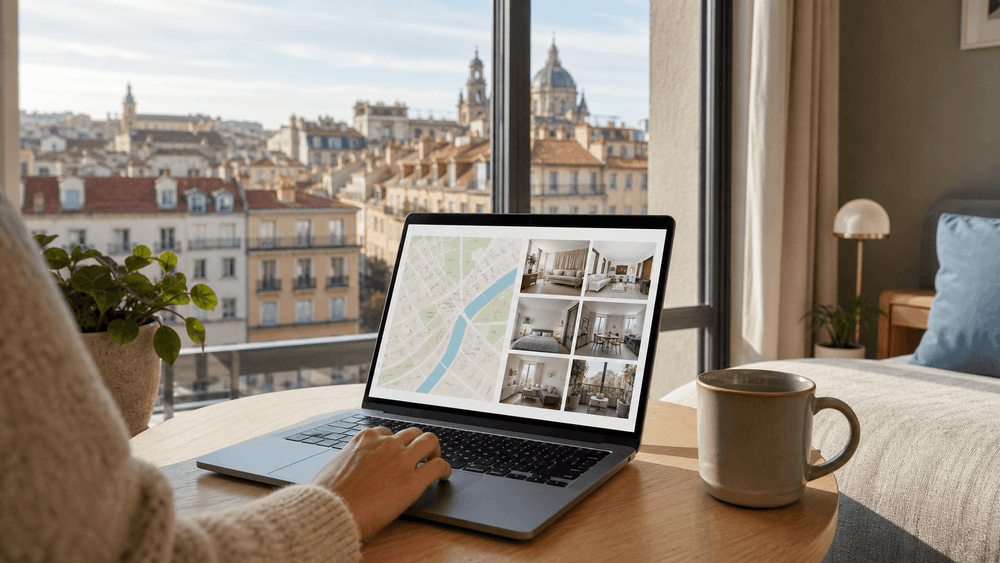
Travellers often choose the area before they choose the property. They search for accommodation in a city, near a venue, close to a business district or within easy reach of the reason for their trip. A direct booking website needs a useful page for that stage of the decision.
Vacation rental location pages are those pages. They bring together locally relevant information, suitable properties and a clear route to checking availability. Done well, they can attract non-branded searches, help guests understand where to stay and turn destination research into direct booking activity.
They are not simply search-results pages with a city name at the top. Nor are they an excuse to publish hundreds of near-identical URLs. Every location page should serve a genuine guest need, represent real inventory and make the next step easier.
This guide explains how to choose locations, structure the content, connect pages across the website and measure whether they are helping both search visibility and bookings.
For the broader strategy, start with our guide to SEO for short-term rental companies. To review an existing site, use the 20-step vacation rental SEO checklist. If you are deciding which search topics deserve pages, read our guide to vacation rental keyword research.
What Is a Vacation Rental Location Page?
A vacation rental location page is a permanent website page focused on accommodation within a meaningful geographic area. That area might be:
- a region;
- a city or town;
- a neighbourhood;
- a coastal or countryside area;
- an area surrounding a transport hub; or
- a district associated with a university, business centre, venue or attraction.
Its job is to answer three practical questions:
- Is this the right area for my stay?
- Which available properties suit me here?
- How do I check dates, prices and booking terms?
A strong page combines local context with bookable inventory. The information helps the guest qualify the location; the property selection gives them somewhere relevant to go next.
A Location Page Is Not a Property Page
A property page describes one accommodation option. It should cover rooms, capacity, amenities, images, house rules, availability, prices and the specific guest experience.
A location page describes the wider area and presents a suitable selection of properties within it. It helps someone who knows where they want to stay but has not yet chosen a particular property.
The pages support one another:
- the location page explains the area and compares suitable stays;
- the property page provides the detail needed to choose and book; and
- each property page links back to the location so guests can compare alternatives.
Trying to make one page do both jobs usually weakens the experience. A single property page cannot represent the full choice within an area, while a location page should not repeat every detail from every listing.
A Location Page Is Not Just a Destination Guide
A destination guide usually serves an earlier research need: what to do, when to visit, where to eat or how to plan a trip. It can attract travellers who have not yet decided where to stay.
A location page has a more commercial role. It should still be genuinely informative, but it connects the destination directly to relevant accommodation and availability.
For example, a guide might explain how to plan a weekend in Newcastle. A Newcastle city-centre location page should explain who the area suits, what guests can reach from it and which properties can be booked there.
The guide can link to the location page when the reader is ready to choose accommodation. The location page can link back to selected guides where deeper local information would help the decision.
Why Location Pages Support SEO and Direct Bookings
A direct booking home page normally has to explain the whole brand. Property pages focus on individual stays. This can leave a gap for searches where the destination is the main requirement.
Location pages fill that gap without forcing every local query onto the home page or creating a blog post for a transactional search.
They Match Non-Branded Local Searches
Many travellers do not begin with the operator's name. They search for a type of stay in a place:
- “serviced apartments Newcastle city centre”;
- “short-stay accommodation in York”;
- “holiday rentals near Newcastle University”;
- “contractor accommodation in Gateshead”; or
- “family apartments near the city centre”.
A page dedicated to the relevant location can answer that intent more precisely than a generic portfolio page. It can use the language guests use, explain the area and present only the relevant inventory.
The objective is not to insert every possible phrase. It is to build the best page for one principal location intent and cover closely related questions naturally.
They Help Guests Qualify the Destination
A search result may bring someone to the site, but the page still has to reduce uncertainty.
Guests may need to know whether the area is suitable for:
- a family weekend;
- a work assignment;
- a university visit;
- a concert or sporting event;
- a group trip;
- a car-free stay; or
- a longer relocation.
Useful local information helps the guest judge fit before they open several property pages. That can produce more qualified availability searches and fewer enquiries from people whose needs the location cannot meet.
They Bridge Google and Live Inventory
Search visibility has limited commercial value if the visitor cannot move from the landing page to a suitable stay.
A useful vacation rental location page should make that journey direct:
Local search → relevant location page → suitable property or date search → secure booking journey
If the page mentions an area but sends every visitor to a generic home page, it adds another decision and loses context. The better route preserves the location and, where possible, any dates or guest details already entered.
Choose Locations and Keywords Deliberately
Not every label on a map deserves a page. Start with the structure of the portfolio and the decisions real guests make.
Build a Geographic Hierarchy
Map the areas you genuinely serve from broad to specific. A simple structure might be:
- North East England
- Newcastle
- Newcastle city centre
- Quayside
- Jesmond
- Gateshead
- Northumberland
- Newcastle
The correct levels depend on the portfolio. A regional page is useful only when guests search and choose at that level. A neighbourhood page is useful only when the area has distinct demand, enough relevant inventory and information that differs meaningfully from its parent city page.
Avoid forcing the same hierarchy onto every market. One city may support several recognisable neighbourhood pages, while another may need only one strong city page.
Give Each Page One Main Intent
Choose the central question each page will answer.
For example:
- a Newcastle page may serve broad accommodation searches across the city;
- a Newcastle city-centre page may serve guests who want central access and walkability;
- a page near a university may serve visiting families, staff or longer-stay guests; and
- a contractor accommodation page may be better organised by traveller need than geography.
If two proposed pages would show the same properties, give the same advice and target the same search intent, combine them. Minor changes in wording do not justify separate URLs.
Our vacation rental keyword research guide explains how to group phrases by intent and map them to the right page type.
Use Real Booking and Search Data
Build the location plan from evidence available to the business:
- existing booking origins and destinations;
- enquiry questions;
- guest reviews and post-stay feedback;
- internal website searches;
- property occupancy and demand patterns;
- Google Search Console queries;
- paid search terms;
- customer-service conversations; and
- knowledge from local operations teams.
Search Console may reveal a city, neighbourhood or landmark already generating impressions for an unsuitable page. That can be a sign to improve an existing location page, not automatically to create a new one.
Also validate commercial reality. A location may have search demand but still be a poor target if the portfolio has no appropriate properties, the operational area is too far away or the searcher expects a type of stay the business does not provide.
The Anatomy of an Effective Vacation Rental Location Page
Every page should be specific enough to be useful and structured enough to help a guest act. The exact layout can vary, but the following elements form a strong foundation.
1. A Locally Specific Introduction
Open by confirming the location, the type of accommodation available and who it suits. The first paragraph should answer the query, not recite generic tourism language.
A useful introduction might explain that a set of centrally located serviced apartments suits business travellers, weekend visitors and families who want access to transport, restaurants and key city venues.
Avoid introductions such as “Welcome to beautiful [city], a vibrant destination with something for everyone.” The sentence could appear on almost any travel website and gives the guest no reason to trust the page.
Good local copy is based on real knowledge. Mention practical features of the area, but do not overstate convenience or publish unverified travel times.
2. Relevant, Bookable Inventory
Show properties that genuinely belong to the location. Each result should provide enough information to support a comparison, such as:
- a clear property image;
- property name and precise area;
- guest capacity and bedroom count;
- important amenities;
- a concise suitability statement;
- price context where the platform can show it accurately; and
- a clear link to details or availability.
If the website supports date-based availability, allow the guest to enter dates on the location page and keep those dates when they open a property or the booking engine.
Inventory must remain synchronised with the PMS or channel manager. A page that repeatedly presents unavailable stays damages trust. Our guide to Uplisting direct booking website integration explains how connected availability and booking data support the direct journey.
3. Useful Local Knowledge
The local section should help someone choose the area, not reproduce a tourist directory. Include information relevant to staying there:
- neighbourhood character;
- transport options;
- access to business districts;
- nearby universities or hospitals;
- major venues and landmarks;
- parking considerations;
- grocery and everyday facilities;
- suitability for walking or public transport; and
- realistic considerations such as nightlife, hills, seasonal access or busy event periods.
Prioritise what affects the accommodation decision. A family may care about space, parking and quieter streets. A contractor may care about road access, workspace and longer-stay facilities. A concert visitor may care about late transport and the route to the venue.
Write from direct knowledge where possible. Verify factual claims and update details that can change, including transport routes, venue names and access arrangements.
4. Guidance by Traveller or Stay Type
A short section can help different guests identify the most suitable part of the portfolio.
For example:
- Business travellers: properties with reliable Wi-Fi, work areas and access to commercial districts;
- Families: larger layouts, kitchens, laundry facilities and practical transport or parking;
- Groups: capacity, shared living areas and clear house rules;
- Longer stays: storage, cooking facilities, laundry and weekly servicing options; and
- Event visitors: properties positioned for the relevant venue and booking dates.
Only mention features the properties actually provide. Link directly to the most relevant property or filtered selection rather than sending everyone to the same generic list.
5. Trust and Conversion Information
Before a guest books directly, they need to know who is taking the payment and what will happen next.
A location page can support confidence with:
- a clear operator identity;
- contact options;
- verified reviews or testimonials used with permission;
- secure payment cues;
- transparent prices and fees;
- concise cancellation and deposit information;
- links to full booking terms; and
- an explanation of confirmation and support.
The surrounding website should provide the complete experience. Review the features every vacation rental website needs and the principles behind a high-converting short-term rental website.
6. Location-Specific Questions
Frequently asked questions are useful when they answer genuine uncertainties that have not already been resolved.
Questions might cover:
- which part of the area suits a particular trip;
- whether parking is available;
- how guests reach a major venue or transport hub;
- whether longer stays are accepted;
- which properties suit families, groups or contractors; and
- how availability and total prices are checked.
Do not add a generic FAQ block to every city page. Base questions on enquiries, search data and the practical details of that location.
Build a Clear Location Architecture
Strong individual pages can still underperform when the website does not connect them properly. The location structure should help guests browse from a broad area to a suitable property without getting lost.
Connect Parent and Child Locations
A broader page should link to its meaningful sublocations. A neighbourhood page should link back to the city and to nearby alternatives where they help the guest compare.
For example:
- the Newcastle page introduces the wider city and links to distinct areas;
- the Newcastle city-centre page focuses on central stays;
- a Quayside page exists only if it has distinct guest value and sufficient properties; and
- each relevant property links to its main location page.
Use descriptive anchor text such as “serviced apartments in Newcastle city centre” rather than repeating “click here”. Google's link best-practice guidance recommends crawlable links and says contextual internal anchor text can help people and Google understand a site.
Every important location page should be reachable through normal website navigation or contextual links. Do not rely entirely on a postcode search box that search engines or users cannot browse.
Connect Locations, Properties and Guides
Think of the website as a connected decision system:
- destination guides introduce an area or trip idea;
- location pages present suitable places to stay;
- property pages answer accommodation-specific questions; and
- the booking engine confirms dates, prices and terms.
Link between these page types when the relationship is helpful. A guide to attending a local event can link to the relevant location page. The location page can link to a transport guide. A property page can link to its neighbourhood and nearby attractions.
This prevents orphan pages and gives the guest a logical next step at each stage.
Control Filter and Search URLs
Booking websites often generate URLs for dates, guests, amenities, price order and map movement. These combinations are useful for visitors but can create thousands of thin or duplicate URLs if each one is treated as an indexable page.
Define which permanent location pages should be eligible for search. Temporary search states and filter combinations should not become competing landing pages unless they represent a durable, valuable intent with unique content and a controlled URL.
Use consistent internal links and self-referencing canonical tags on the permanent location pages. When several URLs show duplicate or very similar content, follow Google's canonical URL guidance so signals and reporting are not split across accidental variants.
Canonical tags are not a substitute for a sensible URL strategy. Prevent unnecessary variants where possible and redirect retired duplicates when consolidation is permanent.
Avoid Thin, Duplicated and Doorway Pages
The easiest way to create a weak location section is to use one template, replace the city name and publish it for every place within driving distance.
That approach rarely helps a guest. It can also create serious search-quality problems. Google's spam policies on doorway abuse specifically warn about pages aimed at similar regional or city queries that funnel users to one destination, and about substantially similar pages that sit between search results and the useful part of a website.
Do Not Substitute Place Names in Generic Copy
A genuine location page should have differences beyond its heading. The inventory, local advice, transport context, traveller suitability, FAQs and internal links should all reflect the area.
If the only change is “Newcastle” becoming “Gateshead”, the business probably has one page duplicated under two URLs rather than two useful resources.
Google's guidance emphasises helpful, people-first content. The practical test is simple: would this page still be valuable to a guest who arrived directly, without a search engine involved?
Consolidate Overlapping Areas
Review pages that compete for the same properties and queries. Common warning signs include:
- two pages receiving impressions for the same search terms;
- headings and introductions that could be exchanged without changing meaning;
- identical inventory on neighbouring location pages;
- one page receiving little traffic or engagement while another clearly dominates; and
- teams being unable to explain the different guest decision each page supports.
When there is no meaningful distinction, combine the strongest information into one page. Redirect the weaker URL to the preferred page and update internal links.
Publish Only Where There Is Relevant Inventory
A location page should not promise accommodation that the operator cannot provide.
If the business has no properties in an area, consider whether a guide would be more honest than a commercial location page. If inventory has permanently left the area, remove the page from navigation and decide whether to redirect, retain it as a useful non-commercial guide or retire it based on its content and links.
For temporarily unavailable inventory, be transparent and offer nearby alternatives only when they genuinely fit the guest's needs.
Turn Location Visits into Booking Activity
Ranking is not the finish line. The page must help the visitor choose and act.
Make the Next Step Obvious
The principal action should match the page:
- check availability in the location;
- view suitable properties;
- enter dates and guest numbers; or
- enquire about a longer or more complex stay.
Place the action near the top, repeat it where appropriate and make the wording specific. “Check Newcastle availability” communicates more than a generic “Learn more”.
Do not let local content push all properties and actions far below the fold. Guests who are ready to book should not have to read a complete destination guide first.
Preserve the Guest's Context
When someone selects a location, dates, party size or property type, carry that information into the next step.
Avoid forcing them to:
- choose the location again;
- re-enter dates on every property;
- restart after opening the booking engine; or
- discover new fees only at checkout.
A connected booking journey reduces repeated work and reassures the guest that they are still searching the area they chose. This is one reason a direct booking website can support STR profitability: it can own and improve the full journey rather than merely display listings.
Design for Mobile Decisions
Many guests will arrive on a phone while comparing locations, dates and prices. On a smaller screen:
- the location and value proposition should be immediately clear;
- date search and property filters should be easy to use;
- cards should show essential details without clutter;
- calls to action should remain visible and tappable;
- maps should not trap scrolling;
- images should load efficiently; and
- booking forms should use appropriate input controls.
Test the real flow on several screen sizes, including search, property selection, price review and payment. A page is not mobile-friendly merely because the text fits the screen.
Measure SEO and Commercial Performance Together
A location page can gain impressions without contributing to bookings, or convert well from a small but highly relevant audience. Evaluate both dimensions.
Review Search Performance
For each page, monitor:
- impressions;
- clicks;
- click-through rate;
- average position;
- queries generating visibility;
- the countries and devices associated with demand; and
- whether the intended location page is appearing for the intended query cluster.
Google Search Console's Performance report lets you examine queries and pages, including low-click-through opportunities. Compare meaningful periods and account for seasonality, events and booking lead time rather than reacting to a few days of movement.
If a page gains impressions for an adjacent location, decide whether the existing page can answer that need or whether the query represents a genuinely different guest decision. Do not respond to every new phrase by creating another URL.
Review Commercial Performance
Connect the landing page to actions deeper in the journey:
- availability searches;
- property views;
- enquiry submissions;
- checkout starts;
- completed bookings;
- booking value;
- cancellation rate; and
- assisted conversions where the guest returns through another channel.
Segment by location and device. A page may attract suitable traffic but lose mobile users because the booking interface is difficult. Another may generate many property views but few availability searches because the inventory is poorly matched.
Use these patterns to decide whether to improve the content, property selection, calls to action or booking flow.
Keep Local Information Current
Location pages should be operational assets, not one-off SEO tasks. Review them when:
- properties are added or removed;
- transport access changes;
- a venue opens, closes or changes name;
- parking or arrival guidance changes;
- recurring event dates are announced;
- guest questions reveal missing information; or
- search and booking performance shifts.
Do not change the published date merely to create the appearance of freshness. Make substantive updates that keep the page accurate and useful.
Vacation Rental Location Page Launch Checklist
Before publishing a new location page, confirm that:
- [ ] the area represents a genuine guest search and booking need;
- [ ] the business has relevant, accurately located inventory;
- [ ] the page has one clear location intent;
- [ ] no existing page already serves the same intent;
- [ ] the title, H1 and URL describe the location naturally;
- [ ] the introduction provides locally specific value;
- [ ] property results are relevant and connect to current availability;
- [ ] local claims, transport details and travel guidance are verified;
- [ ] important traveller types can identify suitable stays;
- [ ] prices, fees and booking terms are transparent at the appropriate stage;
- [ ] the primary booking action is clear on desktop and mobile;
- [ ] dates and location context carry into the next step where possible;
- [ ] the page links to its parent area, relevant properties and useful guides;
- [ ] at least one other important page links to the new location page;
- [ ] internal links use descriptive, crawlable anchors;
- [ ] filter and search-state URLs will not create uncontrolled duplicates;
- [ ] the preferred page has a self-referencing canonical URL;
- [ ] the page is included in the XML sitemap if it is intended for indexing;
- [ ] analytics can track availability, enquiry and booking actions; and
- [ ] the page has an owner and a schedule for accuracy reviews.
Frequently Asked Questions
What is a vacation rental location page?
It is a permanent page that explains a meaningful geographic area, presents relevant accommodation and gives guests a direct route to availability or booking. It sits between broad destination research and individual property selection.
How much content should a vacation rental location page contain?
There is no ideal word count. Include enough original information to help the guest understand the area, compare suitable properties and take the next step. A smaller location may need a concise page; a major city with several subareas may need more structure. Do not add text solely to reach a target length.
Should every city and neighbourhood have its own page?
No. Create a page only when the business has relevant inventory, the location represents a distinct guest intent and the content will differ meaningfully from other pages. Combine overlapping areas when one strong page serves the decision better.
How do I prevent duplicate location content?
Give each page a distinct purpose, use original local information and avoid creating URLs for every filter or wording variation. Consolidate pages that serve the same intent, redirect retired duplicates and keep internal links and canonical signals consistent.
How can I tell whether location pages generate bookings?
Track the complete journey from organic landing page to availability search, property view, checkout, enquiry and completed booking. Review Search Console metrics alongside website analytics and booking data so visibility is not mistaken for commercial success.
Build Location Pages Around Real Guest Decisions
The strongest vacation rental location pages do more than mention a place. They explain why the area suits a stay, show accommodation that can actually be booked and remove friction from the path to a confident decision.
Start with the locations the business genuinely serves. Give each page a clear intent, original local value and relevant inventory. Connect it to property pages, guides and the booking engine. Then measure both search performance and booking activity, improving the page as the market and portfolio change.
That creates a location structure built for guests first—and one that can support sustainable local search visibility without multiplying thin pages.
The LukeStays direct booking website case study shows how property presentation, integrations, SEO and the booking journey can work together in a connected platform.
If you want help planning vacation rental location pages or building a direct booking website around your markets, contact CODATIVITY. We can help you connect search demand, site architecture, property data and conversion into one practical roadmap.

2/9/2026
For short-term rental operators
Direct booking websites that cut out OTA commission
We build direct booking platforms with channel manager sync, payments and guest communication — so reservations arrive on your own site instead of costing you 15–20% each.
Contact Us

701, Opal Tower Business Bay, Dubai United Arab Emirates
P.O.Box 126732

Let's Work Together
© 2016 - 2026 Codativity Software Solutions. All Rights Reserved.